Introduction
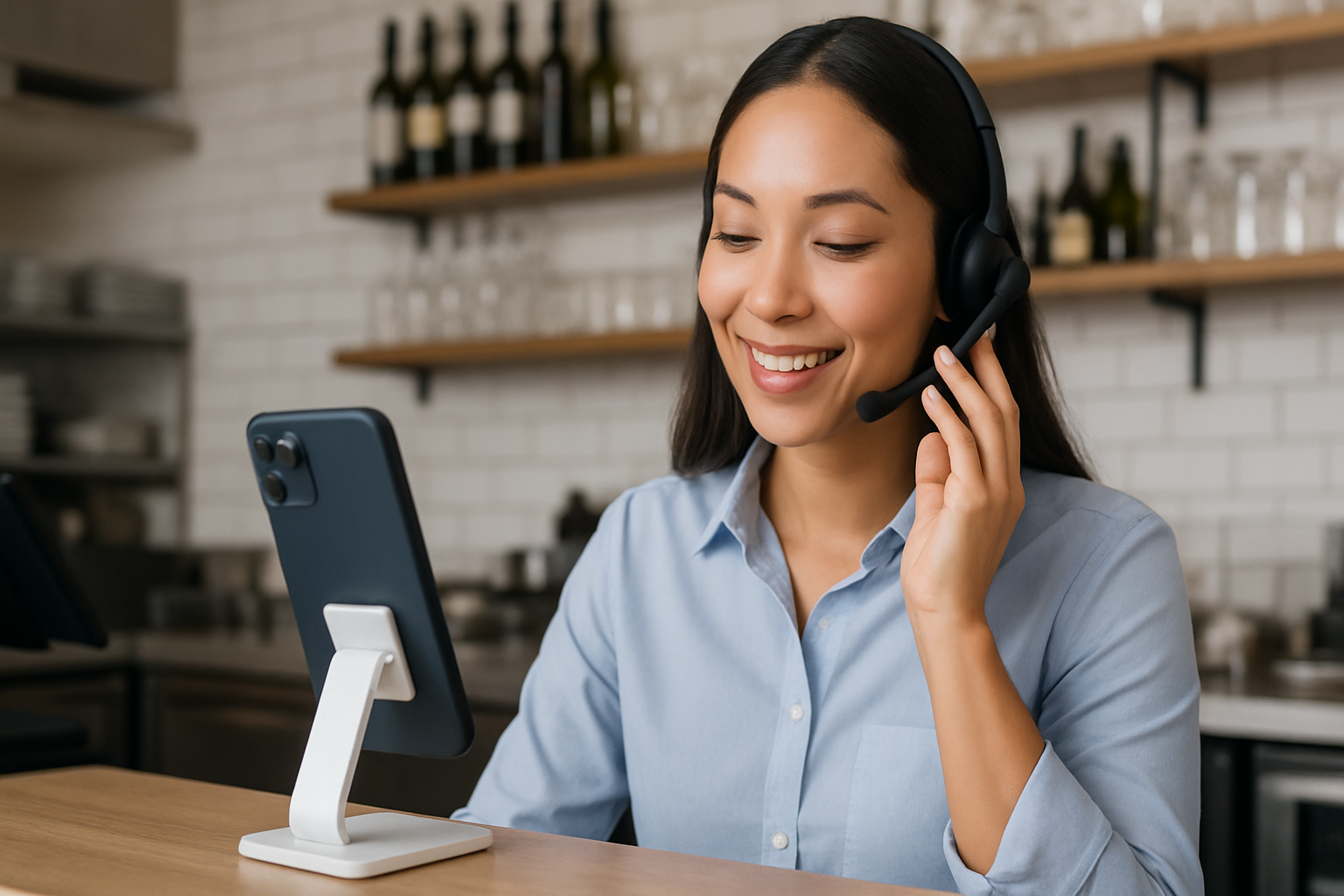
A Saturday night rush, two servers down, and the phone won’t stop ringing. A customer on hold wants to book a table for six. Another is trying to place a takeout order. A third caller wants your hours in Spanish. Meanwhile, your team is juggling in-person guests and deliveries. Sound familiar? This is exactly where phone AI for restaurants steps in. By turning your phone line into a smart, conversational assistant, you can answer more calls, capture more reservations and orders, and give guests a great experience—without burning out your staff. In this guide, we’ll show you how phone AI for restaurants works, what tools to consider, and how to implement it step-by-step so you save time and increase revenue.
Why Phone AI for Restaurants Matters for Local Businesses
Local businesses live and die by responsiveness. Missed calls mean missed revenue. Consider these everyday realities:
- Peak-time chaos: When your dining room is full, it’s easy to miss calls or rush through conversations that deserve more attention.
- High-intent callers: People who pick up the phone are often ready to book, order, or ask a make-or-break question (allergen info, wait time, parking).
- After-hours demand: Guests call when it’s convenient for them—often after closing—looking to place orders, confirm hours, or book large parties.
- Bilingual needs: In many communities, answering in multiple languages isn’t a nice-to-have; it’s a competitive advantage.
Phone AI turns your phone line into a reliable, 24/7 front desk. It answers FAQs, takes orders, books tables, sends SMS confirmations, and routes urgent calls to a human—all with consistent quality. The opportunity is simple: when more callers are served quickly and accurately, conversion rates improve, staff get time back, and customer satisfaction goes up.
How AI Is Transforming Restaurant Phone Operations
At its core, phone AI uses conversational voice technology—automatic speech recognition (ASR) to understand callers, natural language understanding (NLU) to interpret meaning, and text-to-speech (TTS) to respond naturally. Combined with smart routing and integrations, it can:
- Answer common questions instantly: Hours, address, parking, menu, dietary options, specials, happy hour times, and holiday schedules.
- Take reservations: Check availability, capture party size and time, add notes (high chair, patio seating), and send confirmations.
- Handle orders: Read back items, check modifiers, upsell sides or drinks, and pass confirmed orders to your POS or online ordering system.
- Reduce missed calls: Queue intelligently, offer call-back, deflect to SMS for quick links (menu, ordering, directions).
- Support multiple languages: Automatically identify and switch to the caller’s preferred language.
- Integrate with your systems: POS (Toast, Square), reservation platforms (OpenTable, SevenRooms), CRM, and call tracking.
What is phone AI for restaurants?
Phone AI for restaurants is a voice-based virtual receptionist that answers and manages phone calls using conversational AI. It can handle FAQs, reservations, and ordering, route urgent calls, and integrate with your POS and reservation systems to automate guest service 24/7.
Best AI Tools for Phone AI in Restaurants
These are reputable, real-world platforms that local businesses use to build or buy AI-powered phone experiences. Choose based on your budget, technical comfort, and integration needs.
- SoundHound (Smart Answering and Smart Ordering)
- What it does: Voice AI for restaurants that can answer calls, take orders, and handle menu queries. Known for drive-thru AI and phone ordering, with strong speech understanding.
- Why it’s relevant: Purpose-built for hospitality; offers integrations and multi-location scaling. SoundHound also partners with POS systems such as Toast to streamline order flow.
- RingCentral AI Virtual Agent (powered by Google CCAI)
- What it does: An AI voice agent that answers calls, handles FAQs, and routes to staff when needed. Built for small to mid-size businesses with robust telephony.
- Why it’s relevant: If you already use RingCentral for phones, this adds conversational automation without changing providers.
- Dialpad Ai
- What it does: Business phone system with AI features such as call transcription, auto attendant, and analytics; can integrate with chat and SMS.
- Why it’s relevant: Useful for restaurants and clinics that want unified communications plus AI insights and simple IVR.
- PolyAI
- What it does: Enterprise-grade voice assistants that understand natural language and handle end-to-end calls.
- Why it’s relevant: Great for brands with multiple locations that want highly natural conversations and strong intent recognition.
- Twilio Programmable Voice + Studio
- What it does: Developer-friendly platform to build custom voice workflows, integrate ASR/NLU, and connect to your POS or reservation system.
- Why it’s relevant: Ideal if you have an IT partner or agency and want a tailored solution without switching your core tools.
- Aircall
- What it does: Cloud phone system with IVR, call routing, and integrations (CRM, help desk). Offers analytics and call tagging.
- Why it’s relevant: A simple way to streamline call handling and prepare for AI by organizing call flows and data.
- CallRail
- What it does: Call tracking, analytics, and conversation intelligence; measures which campaigns drive calls and conversions.
- Why it’s relevant: Essential if you advertise on Google, Meta, or Yelp and want to attribute calls and optimize spend.
- Smith.ai (Virtual Receptionists + AI)
- What it does: 24/7 call answering with a blend of human receptionists and AI. Can book appointments, qualify leads, and handle FAQs.
- Why it’s relevant: A fast path to professional call coverage without hiring in-house, popular with local businesses.
Note: If you use a POS like Toast or Square or a reservations platform like OpenTable or SevenRooms, check their marketplaces. Some vendors above have ready-made integrations or official partnerships that reduce setup friction.
Step-by-Step Guide to Using AI in This Industry
Follow this practical framework to deploy phone AI for restaurants without disrupting operations.
1) Map call intents
- Spend one week logging call reasons: reservations, orders, hours/location, dietary/allergen questions, catering, private events, gift cards, curbside pickup.
- Quantify volume per intent and note peak times.
2) Choose your approach
- Buy: Select a turnkey phone AI solution (e.g., SoundHound, RingCentral AI Virtual Agent, Smith.ai) that fits your size and integration needs.
- Build/Customize: Use Twilio Programmable Voice or similar with an AI partner if you have unique workflows.
3) Define conversation flows
- Start with high-impact flows: after-hours call handling, reservations, and FAQs.
- Create bilingual prompts if needed (e.g., English/Spanish), and plan fallbacks to a human if the AI is uncertain.
- Add deflection to SMS: “I can text you the menu/ordering link” with one-tap ordering to increase conversions.
4) Integrate systems
- Reservations: Integrate OpenTable/SevenRooms for real-time availability.
- POS and ordering: Connect to Toast or Square and your online ordering provider.
- CRM and marketing: Sync with your email/SMS tools to tag new guests and trigger remarketing.
5) Write and test scripts
- Use plain, friendly language: “Thanks for calling Luna Bistro. Want to book a table, place an order, or hear our hours?”
- Cover allergen and substitution policies; provide clear disclaimers for payments and call recording.
- Test with real customers and staff. Track where callers get stuck and refine.
6) Launch in phases
- Phase 1: After-hours and overflow calls during peak times.
- Phase 2: Full-time FAQ coverage + reservation automation.
- Phase 3: Phone ordering with upsell prompts and loyalty enrollment.
7) Train your team
- Teach staff how to take over calls from the AI when needed.
- Clarify what the AI handles versus what humans do best (special requests, complex catering).
8) Measure and improve
- Track KPIs weekly: answer rate, missed calls, booking conversion, average order value, call duration, customer satisfaction (CSAT).
- Use call recordings/transcripts to improve menu wording, specials, and upsells.
9) Stay compliant and guest-friendly
- Announce call recording. Protect payment info (use PCI-compliant flows). Honor opt-outs and data deletion requests (CCPA/GDPR as applicable).
Real-World Example or Case Study
The scenario below is representative of outcomes many local businesses see when adopting voice AI. Your mileage may vary based on call volume, menu complexity, and staffing.
Luna Bistro (Hypothetical), 70-seat neighborhood restaurant
- Challenge: 35% of calls were missed during the dinner rush. Staff felt constant pressure, and private event leads were slipping through the cracks.
- Solution: Implemented phone AI using RingCentral AI Virtual Agent for FAQs and routing, plus SoundHound for phone ordering integrated with Toast. CallRail tracked marketing-driven calls.
- Rollout: Started with after-hours and overflow coverage, then added reservations and ordering. SMS deflection sent menu links and order confirmations.
- Results after 60 days:
- Missed calls reduced from 35% to 8%.
- Reservation conversion increased by 22% (fewer abandoned calls).
- Average takeout order value up 9% due to automated upsell prompts (add salad, dessert, bottled beverage).
- Staff saved an estimated 8–10 hours/week, reallocated to guest experience and upselling at the table.
- Call tracking attributed 28% of new reservations to Google Ads, enabling better ad budgeting.
Key takeaways:
- Start small (after-hours) and expand.
- Integrations are the multiplier—connect AI to your POS and reservation system.
- Analytics turn phone calls from a black box into actionable marketing data.
Benefits of Using AI in Local Business
- 24/7 responsiveness: Capture after-hours orders and bookings without adding headcount.
- Fewer missed calls: Intelligent overflow and call-back options reduce walk-aways.
- Faster service: Automated FAQs and routing shorten hold times and boost satisfaction.
- Higher revenue: Upsell prompts, accurate order capture, and fewer abandoned calls.
- Staff relief: Free your team to focus on in-person hospitality.
- Data you can use: Call transcripts and tagging reveal customer intent and marketing ROI.
- Consistency: Every caller gets the right information, in the right language, every time.
- Professional image: A modern, helpful phone experience builds trust and repeat business.
Common Mistakes to Avoid
- Turning on everything at once: Launch in phases to protect guest experience.
- Skipping human fallback: Always offer “talk to a person” for complex or urgent needs.
- Poor script design: Overly formal or robotic scripts frustrate callers—keep it friendly and concise.
- Ignoring SMS: Many guests prefer a quick text with a link to order or confirm.
- No integrations: Without POS/reservation sync, staff end up re-entering data, creating errors.
- Not measuring outcomes: Track answer rate, conversion, and CSAT or you won’t know what’s working.
- Forgetting compliance: Disclose recording and handle payment data securely.
- One-language-only: If your community is bilingual, make phone AI bilingual too.
FAQs
Q1: What exactly is phone AI for restaurants and how is it different from a traditional IVR?
A: Phone AI for restaurants is a conversational voice assistant that understands natural language, not just “press 1 for reservations.” It can answer open-ended questions, take bookings, and place orders—then integrate with systems like Toast or OpenTable. It’s faster and more human-like than a static IVR.
Q2: Will phone AI replace my front-of-house staff?
A: No. It handles repetitive, high-volume tasks (FAQs, basic reservations, standard orders) so staff can focus on hospitality, upselling in person, and handling special requests. Think of it as a virtual host who never gets tired.
Q3: What integrations matter most for restaurants?
A: Reservations (OpenTable or SevenRooms), POS/online ordering (Toast, Square, or your delivery partner), SMS for confirmations, and call tracking (CallRail) for marketing insights. These integrations turn automation into real revenue impact.
Q4: How long does it take to launch?
A: Many SMBs go live with after-hours coverage in 1–2 weeks, then add reservations and ordering over 30–60 days. Timelines depend on integrations and whether you use a turnkey solution or custom build.
Q5: Is it safe to take payments by phone with AI?
A: Yes—if you use PCI-compliant flows and providers. Best practice is to route payment steps through secure links (texted to the guest) or a compliant payment IVR. Always disclose call recording and follow data privacy rules.
Conclusion
Phone AI for restaurants is no longer experimental—it’s a practical, revenue-driving upgrade for local businesses. By automating after-hours and overflow calls, handling FAQs, and streamlining reservations and ordering, you’ll serve more guests with less stress. Start with a focused use case, connect to your POS and reservations, and measure outcomes so you can iterate quickly. If you’re ready to capture more bookings and orders while giving your team time back, consider piloting phone AI for restaurants this month and watch the difference at your host stand.
Sources & References:
- https://soundhound.com
- https://www.ringcentral.com/ai/virtual-agent.html
- https://www.dialpad.com/ai/
- https://www.twilio.com/voice
- https://www.mckinsey.com/capabilities/operations/our-insights/customer-care-in-the-age-of-ai
- https://hbr.org/2022/04/ai-should-augment-human-intelligence-not-replace-it